'%20transform='translate(2,%200)'/%3e%3c!--%20Star%20sparkle%20--%3e%3cpath%20d='M32.8382%206.34712C33.5173%206.24585%2032.7785%206.13679%2032.5071%206.09783C31.236%205.91347%2029.2132%205.70962%2028.3004%204.70729C27.6422%203.9841%2027.3319%202.61173%2027.1644%201.66132C27.1215%201.41593%2027.0086%200.096796%2026.9501%200.0409664C26.8398%20-0.0654995%2026.8424%200.0604418%2026.8242%200.137045C26.4736%201.58862%2026.5775%203.77506%2025.3116%204.86828C24.2054%205.82388%2022.1124%206.01863%2020.7089%206.15366V6.34582C22.1527%206.4419%2024.6936%206.72624%2025.6336%207.9532C26.2321%208.73611%2026.5282%2010.1838%2026.684%2011.1498C26.7125%2011.3276%2026.7891%2012.4416%2026.8541%2012.4598C26.9774%2012.4949%2026.9839%2012.2975%2026.9956%2012.2183C27.2007%2010.8888%2027.2643%209.3788%2027.9914%208.19339C28.9107%206.69768%2031.2815%206.58083%2032.8382%206.34712Z'%20fill='%23FF2F97'%20transform='translate(4,%200)'/%3e%3c!--%20Small%20star%20--%3e%3cpath%20d='M34.5326%2012.5948C33.3173%2012.3105%2032.8863%2012.1261%2032.5136%2010.8836C32.3267%2010.2591%2032.3358%209.60601%2032.0982%209.02045C31.8034%2010.2149%2031.8982%2011.8054%2030.5661%2012.3572C29.9026%2012.6325%2029.0327%2012.7753%2028.3186%2012.7507C28.2693%2013.0454%2028.3796%2012.9233%2028.5575%2012.9714C29.1872%2013.1402%2029.8883%2013.1337%2030.5232%2013.3933C31.8528%2013.9361%2031.8593%2015.4577%2032.0475%2016.6873C32.3916%2016.773%2032.228%2016.2757%2032.2669%2016.0264C32.437%2014.9592%2032.5539%2013.9296%2033.6328%2013.4544C34.3521%2013.1376%2035.2051%2013.0324%2035.9842%2012.9558C35.6751%2012.6572%2035%2012.7052%2034.5326%2012.5948Z'%20fill='%23FF2F97'%20transform='translate(4,%200)'/%3e%3c/svg%3e)

Turn a Product Photo Into a Short Sales Video
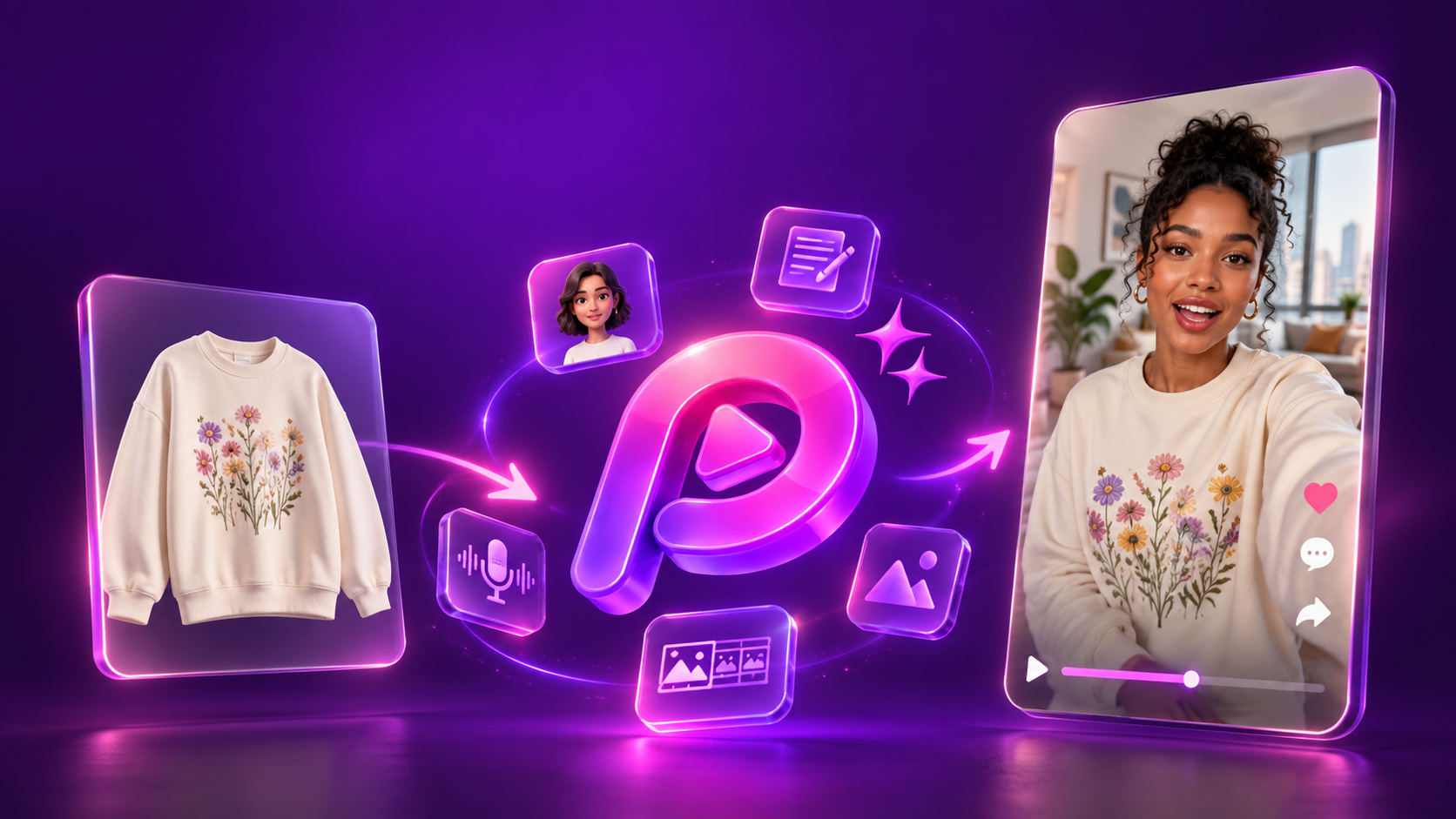
Upload your product photo, pick an avatar, and Pody.ai writes the script, builds the storyboard and generates the finished video, ready for TikTok, Reels, Shorts, Shopee... or your product listing. It works out the niche from your product: no brief, no prompt, no shot list.
Product Avatar Video, a Product Photo Only Sells When It's in the Right Place
A product on a white background tells the buyer what it is. It doesn't tell them why they want it. That happens when they see it somewhere they recognise the polo on a course, the tee at the water, the shirt on a trail because that's the moment they picture themselves in it. Product Avatar Video builds that moment for you. The AI reads your product image, works out the niche and who buys it, then writes the script and the scenes around the place your product actually belongs. You don't brief it. You upload the product.
Product Avatar Video, a Product Photo Only Sells When It's in the Right Place
A product on a white background tells the buyer what it is. It doesn't tell them why they want it. That happens when they see it somewhere they recognise the polo on a course, the tee at the water, the shirt on a trail because that's the moment they picture themselves in it. Product Avatar Video builds that moment for you. The AI reads your product image, works out the niche and who buys it, then writes the script and the scenes around the place your product actually belongs. You don't brief it. You upload the product.
What Is Product Avatar Video? How Does AI Make a UGC Ad From a Photo?
Product Avatar Video is a feature in Pody.ai that turns product photos into TikTok-style UGC video ads. You upload up to three product images and pick an avatar; the AI identifies the product's niche and target buyer, writes up to four scripts with hooks and a scene-by-scene storyboard, then generates each scene as a photorealistic image, converts it into a five-second clip, and merges the clips with a voiceover into one finished video. Output length runs from 5 to 40 seconds, and free accounts generate up to 4 videos at once, Pro up to 12.
How Can Product Avatar Video Be Used?
Batch producing for GMV Max and high-volume testing
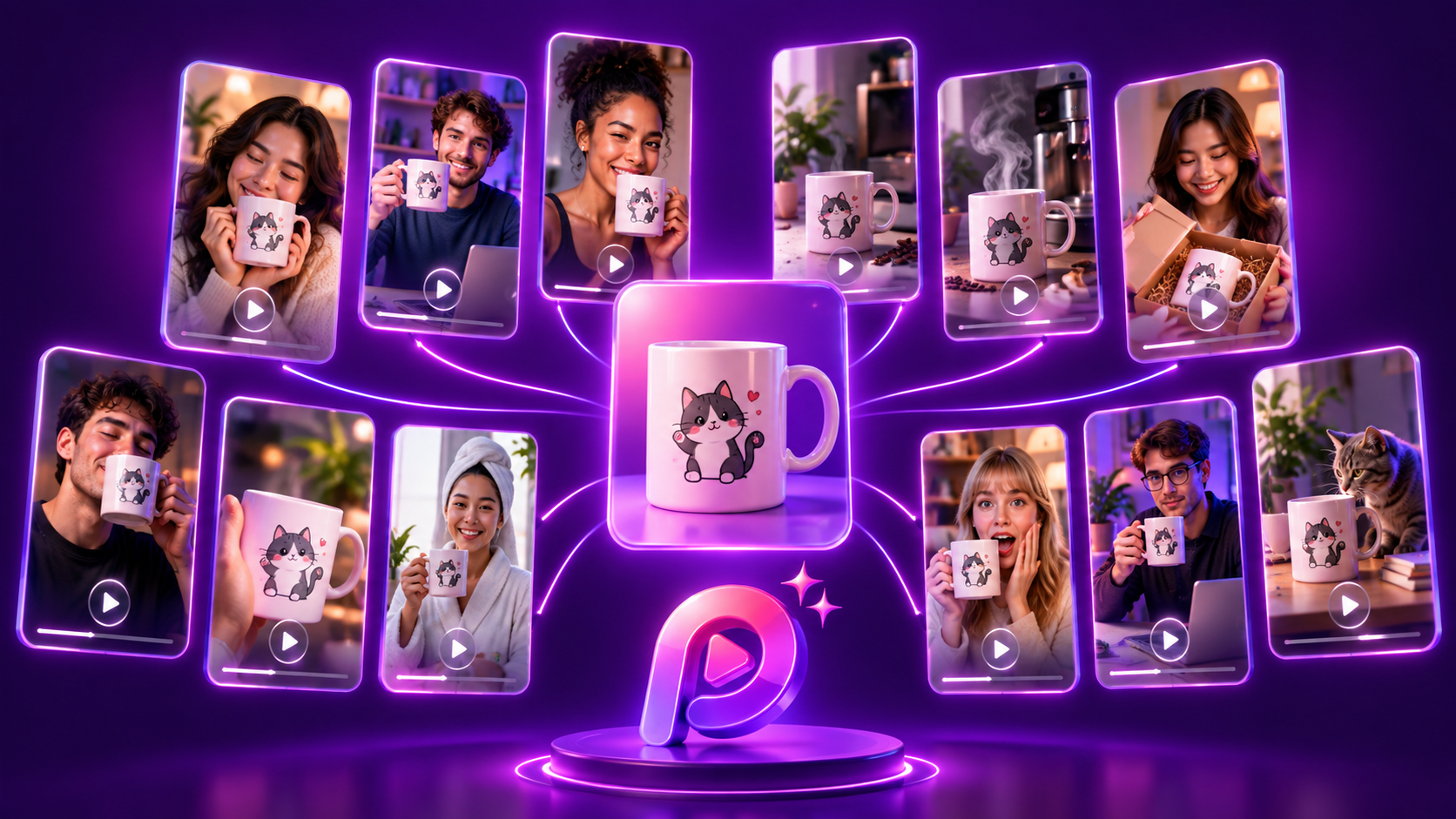
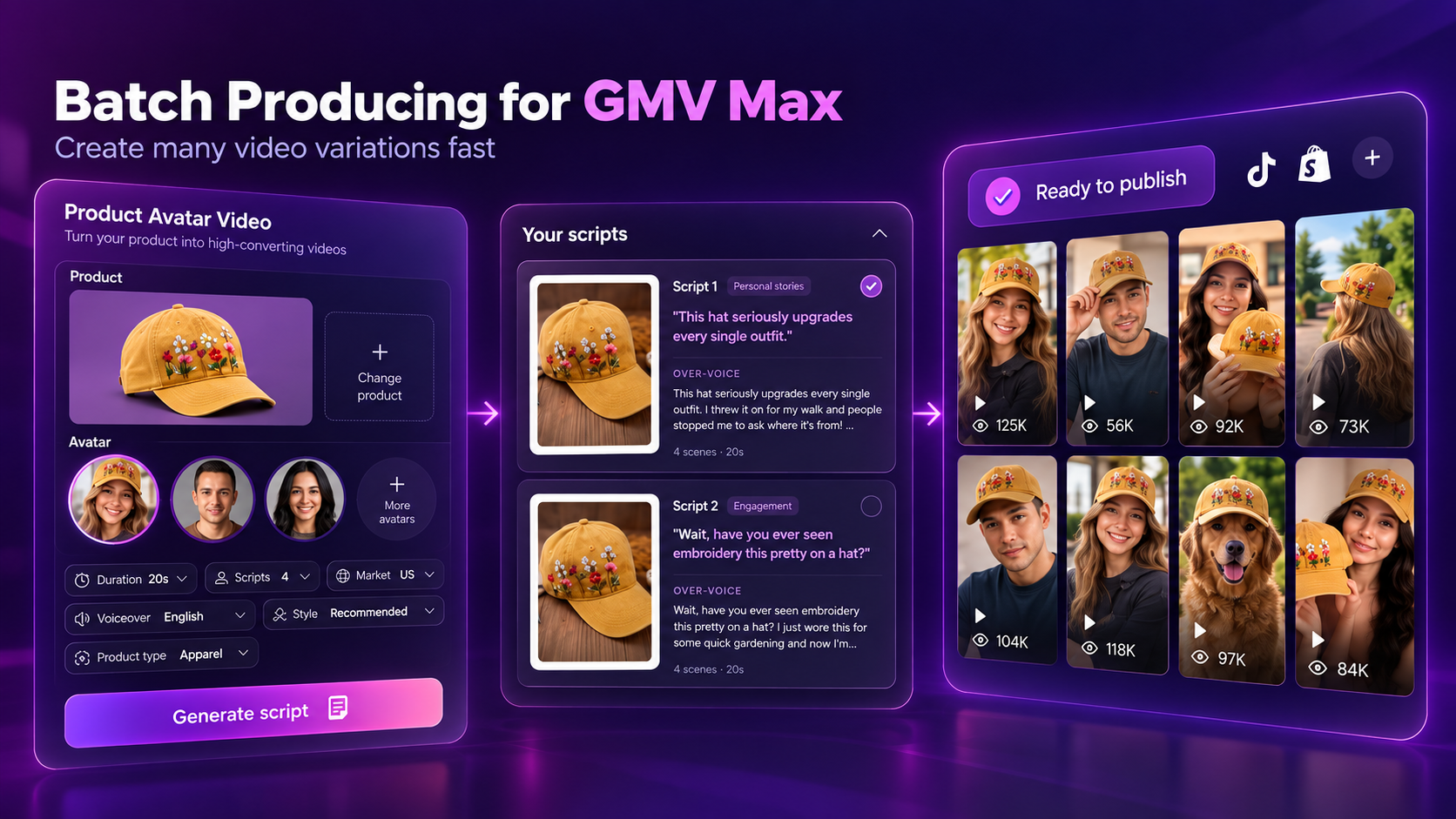
GMV Max needs creative supply to work with, and testing one video at a time wastes the week. Generate up to 4 videos at once on a free account and up to 12 on Pro, then feed the batch straight into testing. Different scripts, different avatars, different settings from the same product image — you get a spread of angles to test instead of one bet. Best for: POD sellers running GMV Max and media buyers who need creative volume, not a hero asset.
Scene and story matched to your niche, without writing a brief
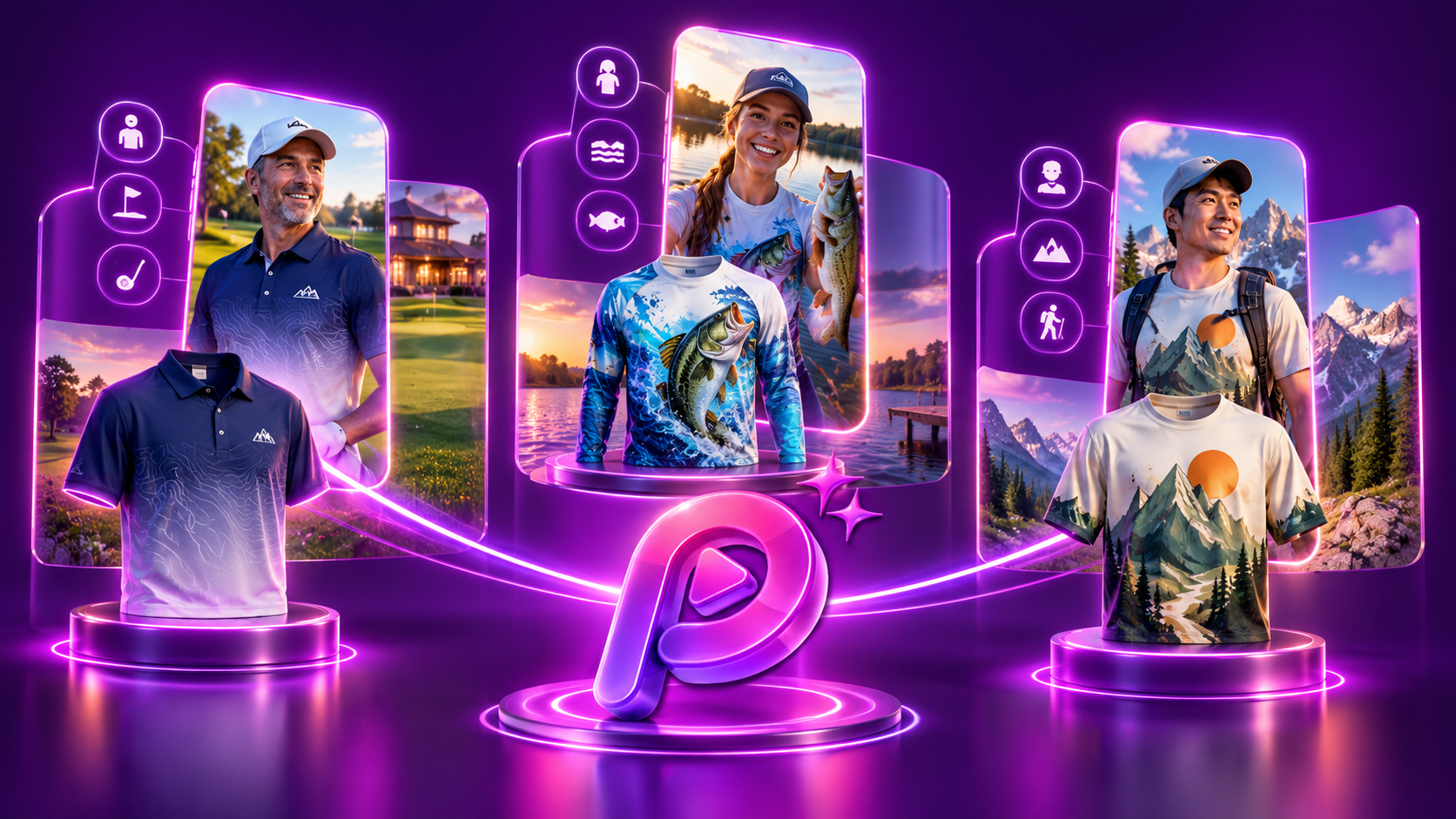
This is the part that saves the most time. The AI reads your product image, works out the niche and who buys it, then builds the storyboard around a setting that actually makes sense: a golf polo goes to the course and the clubhouse, a fishing tee goes to the lake and the dock, a hiking shirt goes to a trail. The hooks come out in TikTok format, and every video covers wide, medium and close-up shots, so the product reads clearly from the opening frame down to the stitching. You don't write a brief, a prompt or a shot list. You upload the product. Best for: sellers running many niches at once, and anyone who has run out of ideas for the same product category.
Approve the script before any video gets made
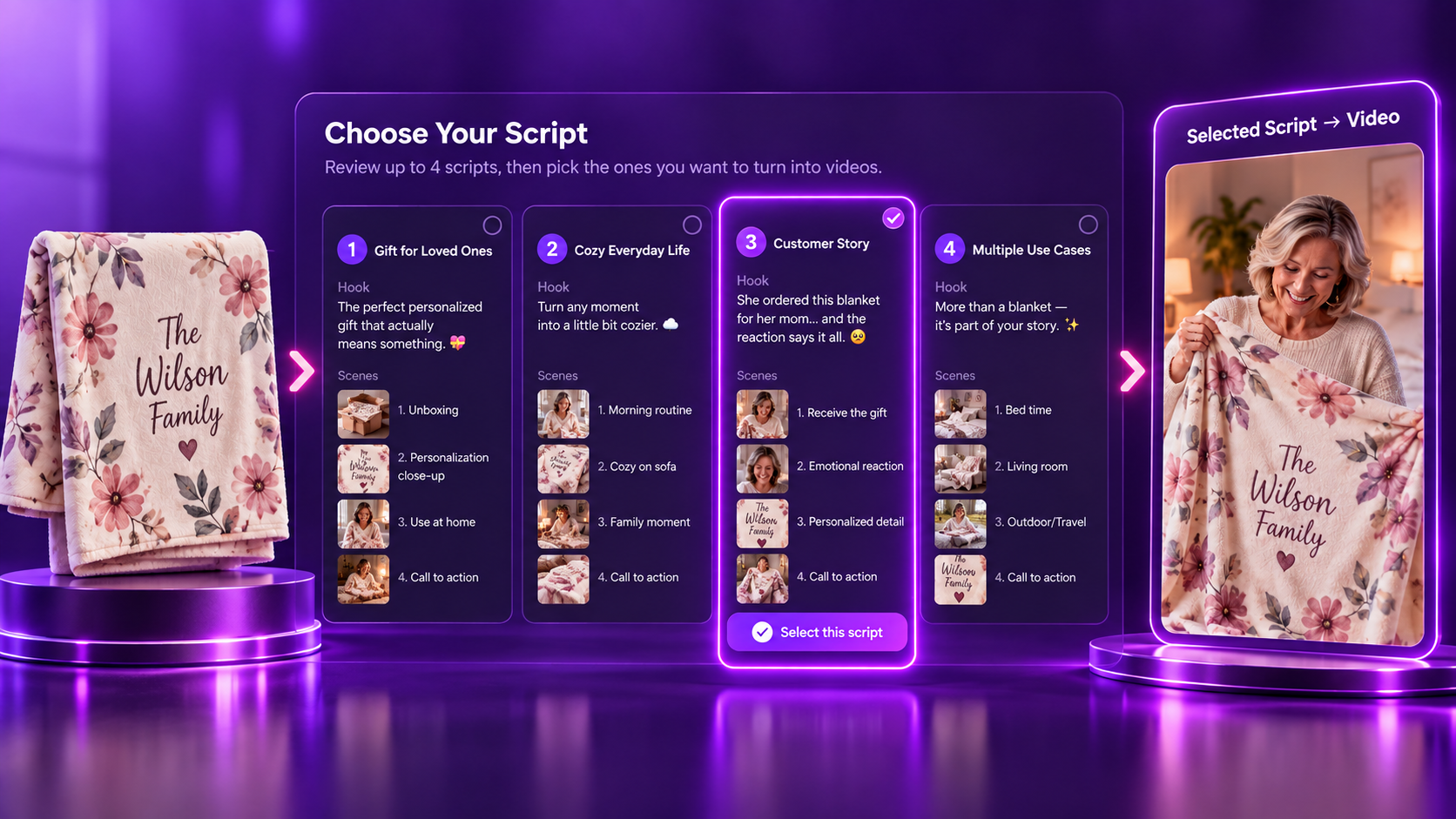
The flow has a checkpoint built into it. Ask for up to four scripts, read them side by side with the hook and the scene breakdown, and pick the one worth building. Nothing renders until you choose. It's the difference between reviewing a plan and reviewing a finished video you now have to throw away. Best for: teams with a brand voice to protect, and anyone who wants to see the concept before spending credits on it.
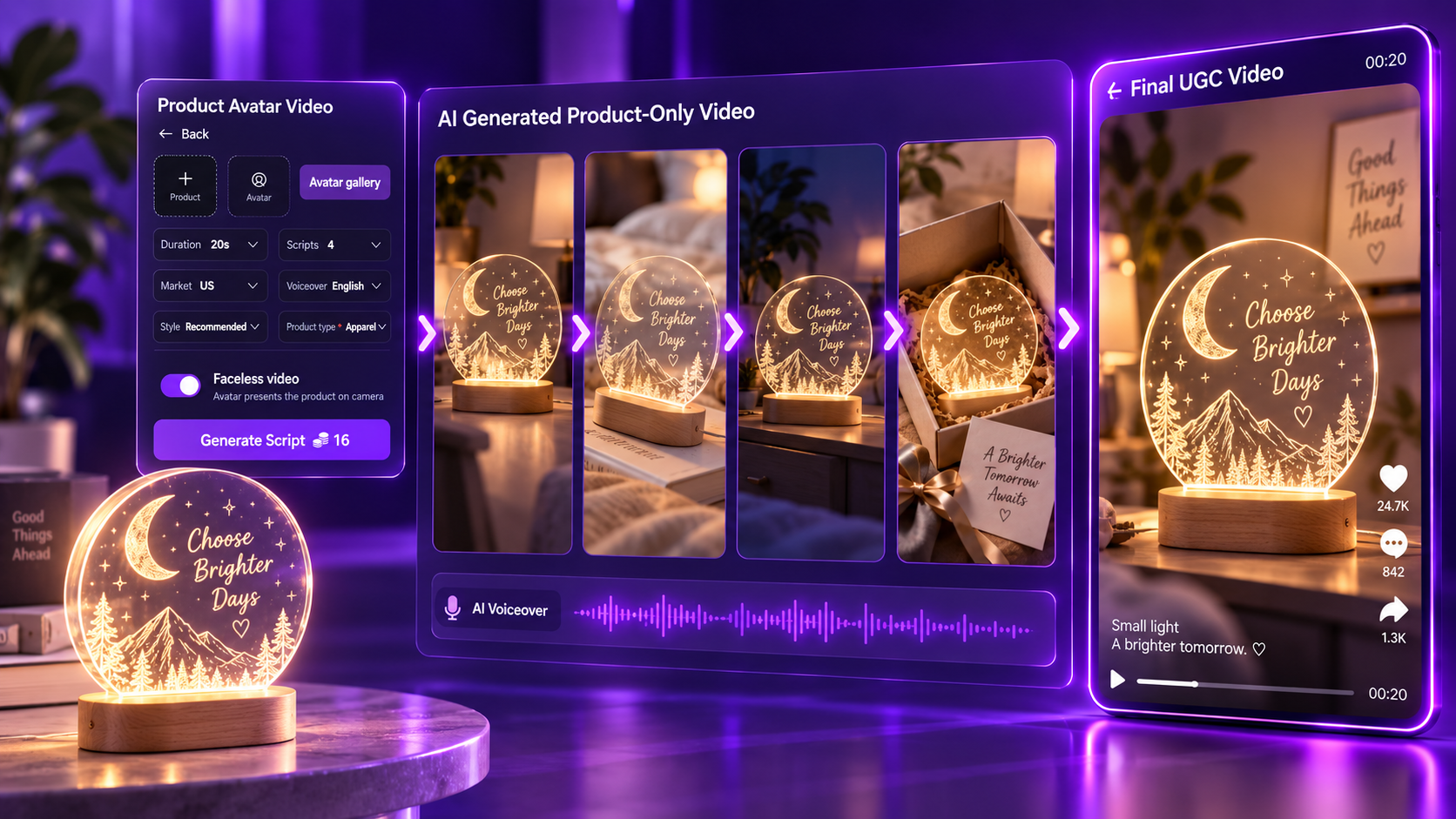
Product-only videos, no avatar on camera
Some products sell better without a presenter, and some niches don't need a face. Turn off the avatar and Product Avatar Video builds the same structured UGC video around the product alone scenes, motion, voiceover, hook, all of it, with nothing on camera but what you're selling. Best for: home, tech and accessory products, and sellers who want a consistent look across a catalogue.
How to Make a Product Avatar Video in 4 Steps
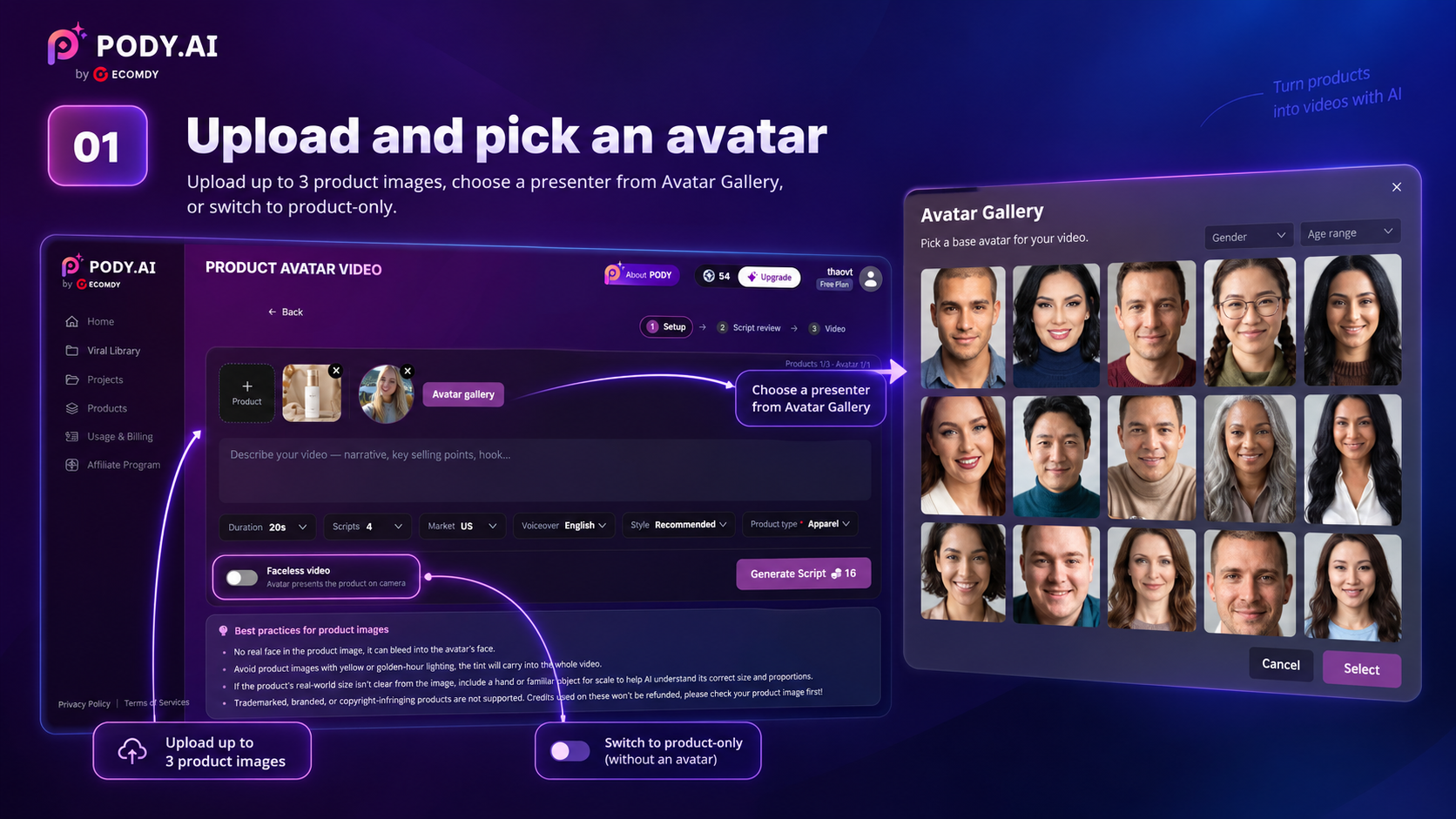
Upload photos and pick an avatar
Upload up to three product images, then pick a presenter from the Avatar Gallery — filtered by gender and age. No presenter? Turn the avatar off for a product-only video.
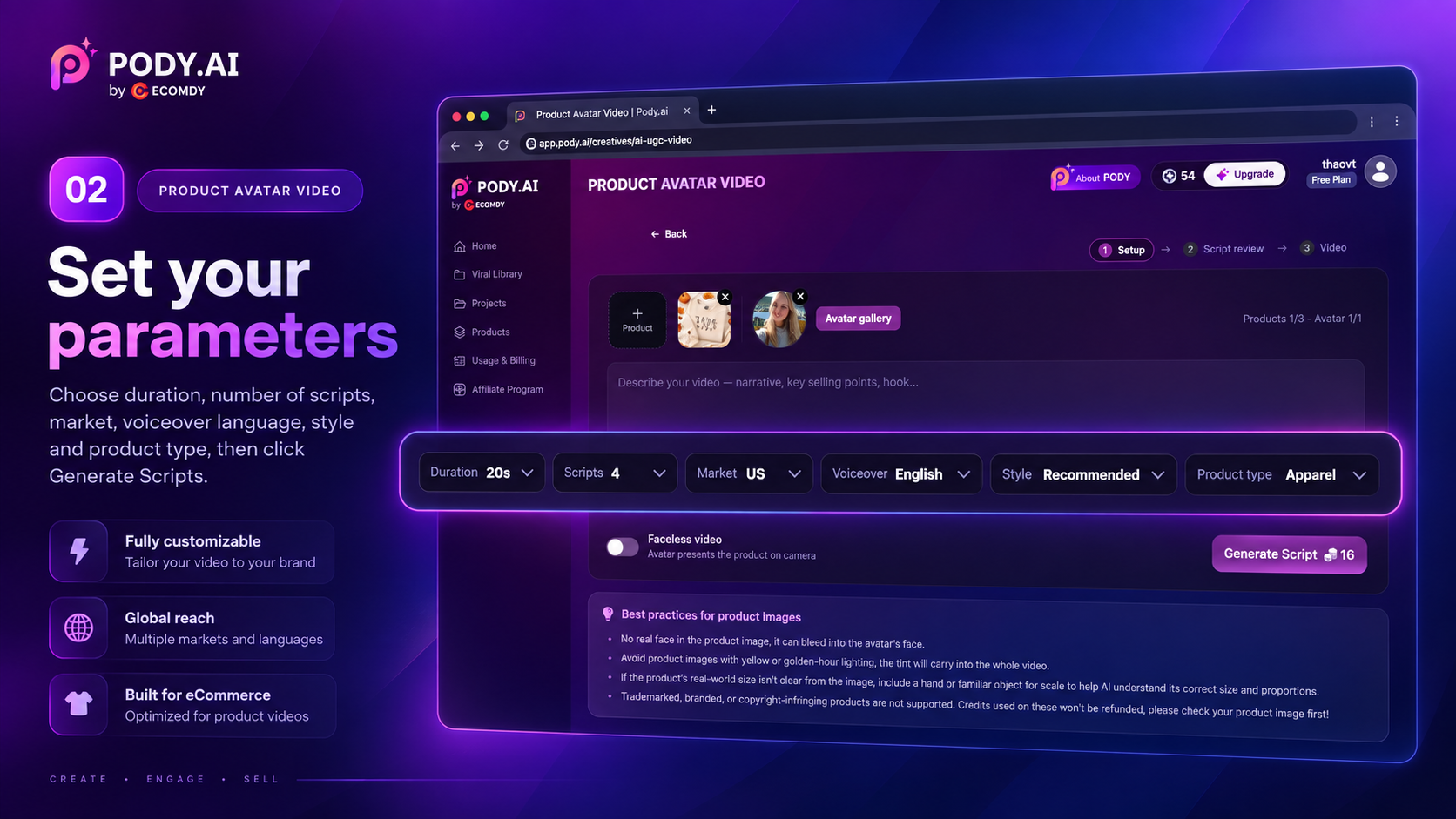
Set your parameters
Duration (5 to 40 seconds), number of scripts (up to 4), market, voiceover language, style and product type. Then hit Generate Scripts.
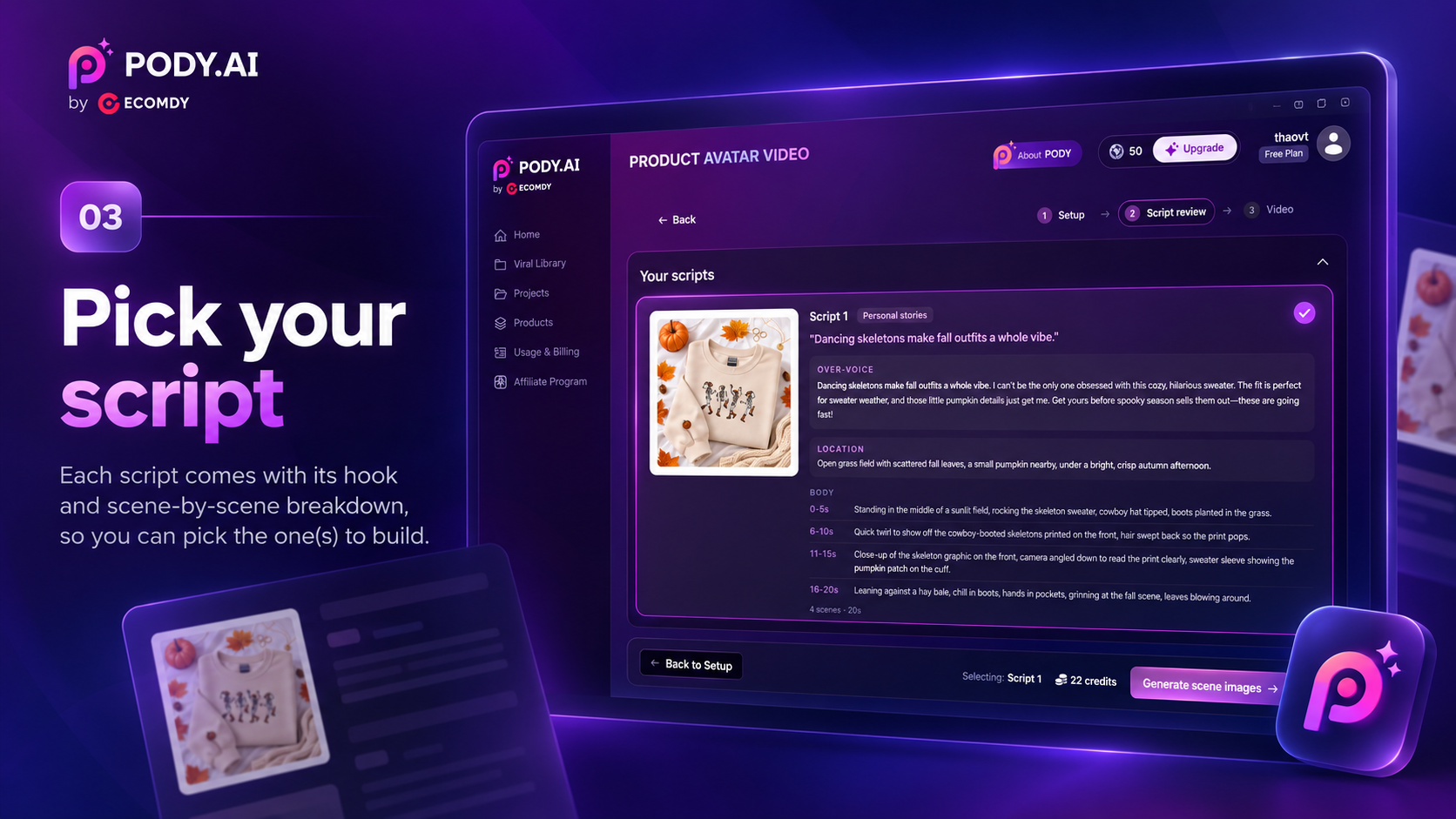
Pick your script
Each script comes back with its hook and a scene-by-scene breakdown. Read them and pick the ones you want built.
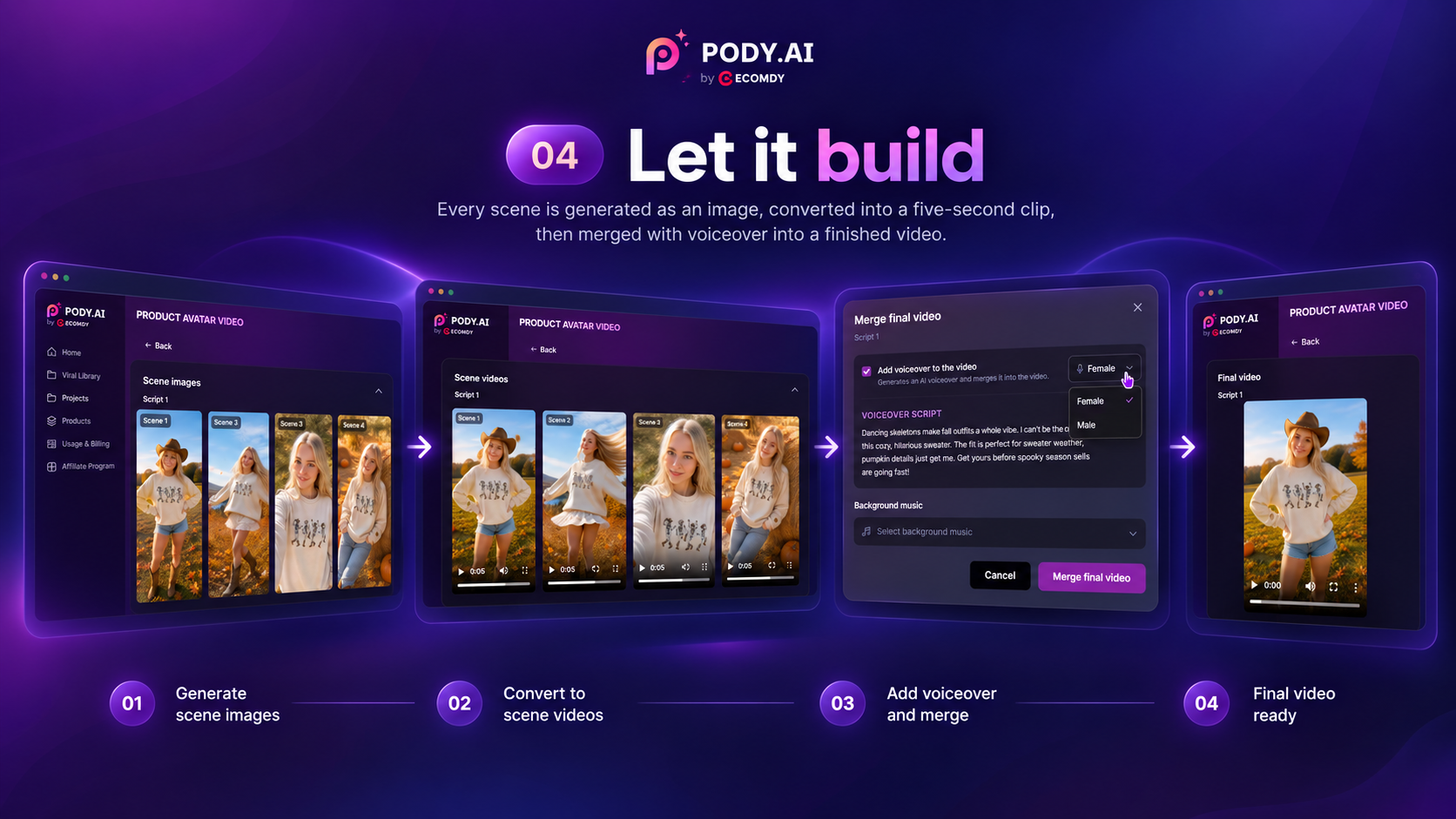
Let it build
Every scene is generated as an image, converted into a five-second clip, then merged with the voiceover into a finished video. Download it, or send it straight to your ad account.
Why Choose Pody.ai for AI UGC Video
Every script comes with a shot plan
Each script is built to a shot plan that moves between wide, medium and close-up and changes camera angle from scene to scene. That variation is what holds a viewer's attention, where a video locked on one angle from start to finish loses them.
Context matched to your design, automatically
Upload a golf polo and your video is set on the course. Upload a fishing tee and it's set on a dock. The AI reads the niche and the buyer from your product image, then builds the setting, the story and the hooks to match.
Batch, without four versions of the same video
Free accounts generate up to 4 videos at a time, Pro up to 12, and the scripts are held to a difference threshold. Every hook, location and lighting mood is different, so you get a spread worth testing.
Your design stays your design
No recolouring, no restyling, no reinventing the print. Text stays readable and correctly oriented, and a front-only print never gets duplicated onto the back.
What the Output Looks Like
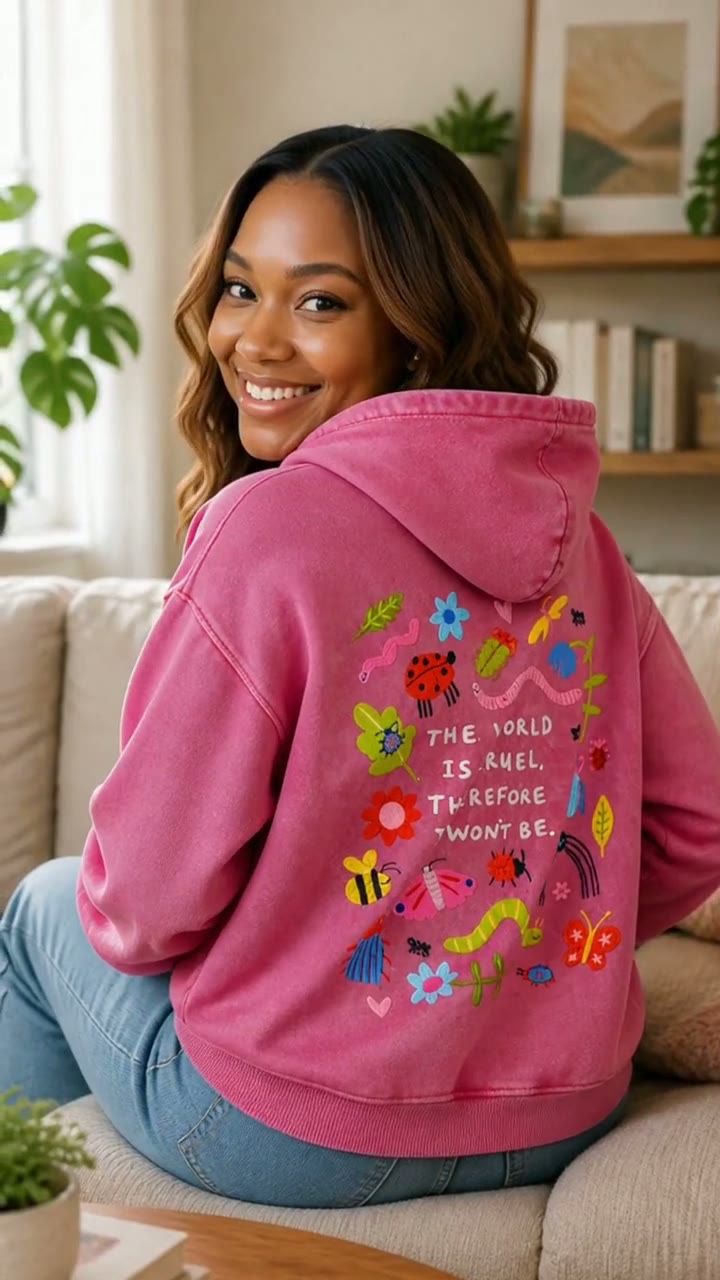
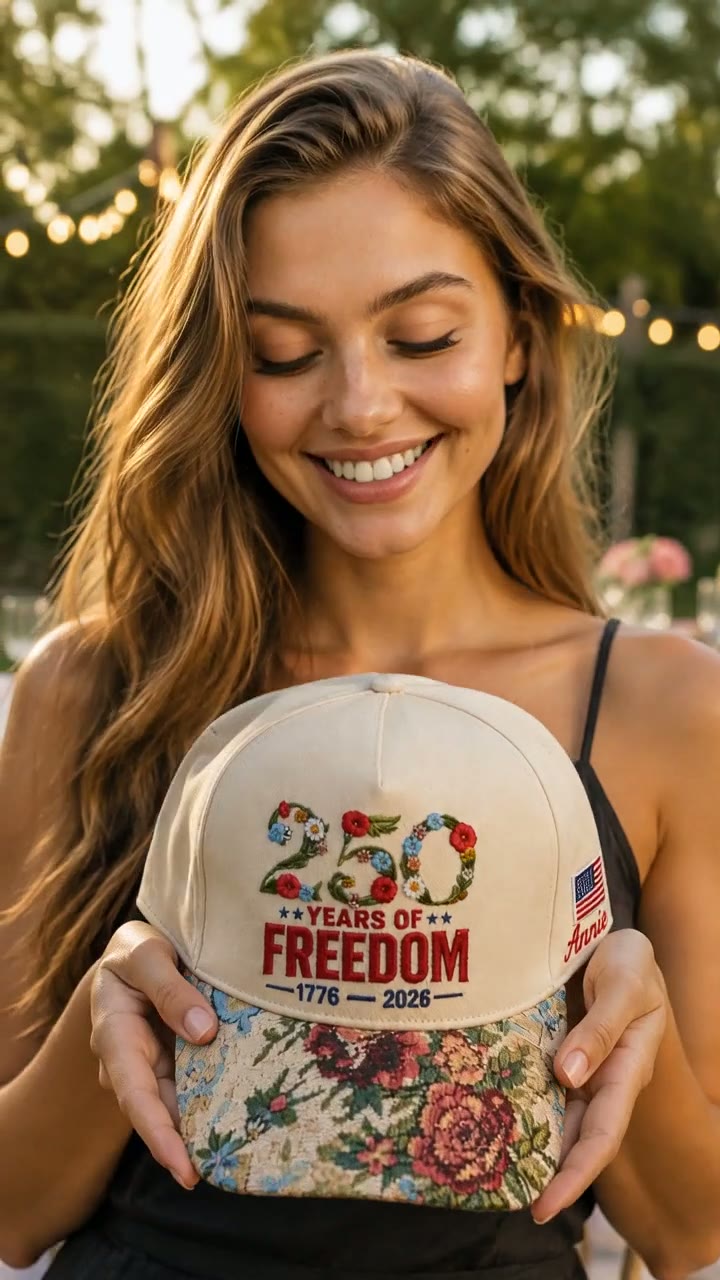
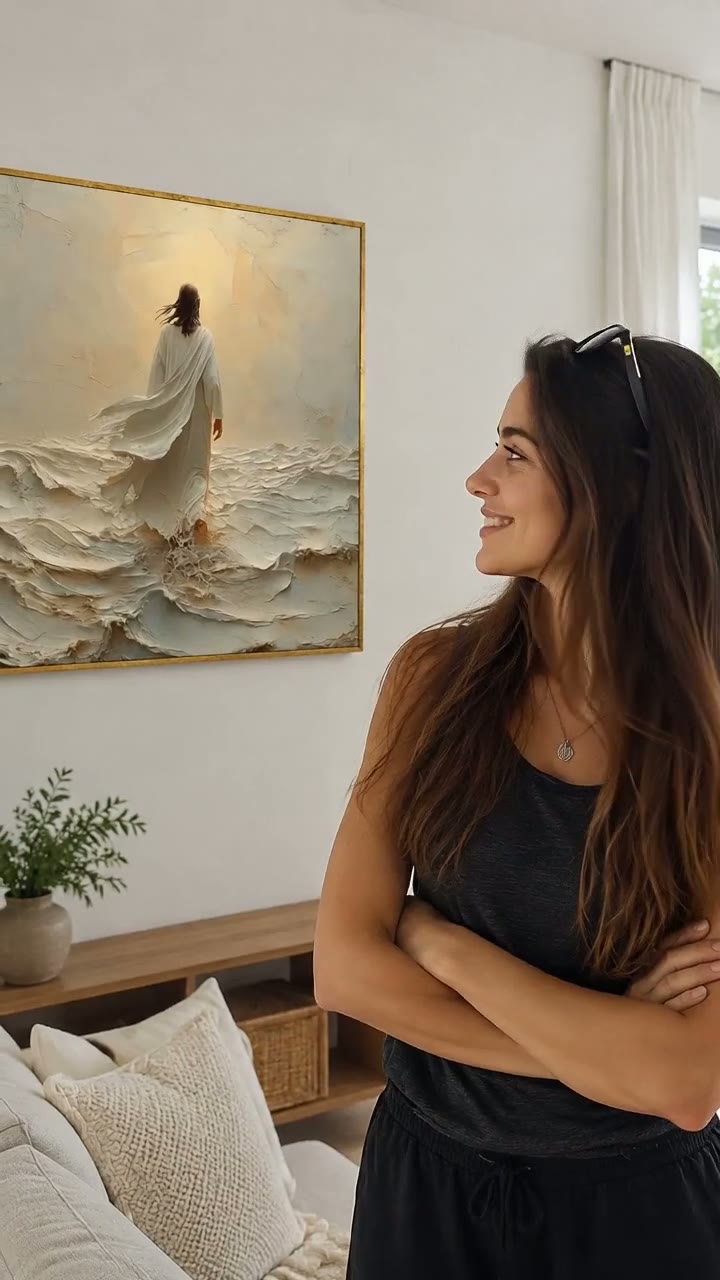
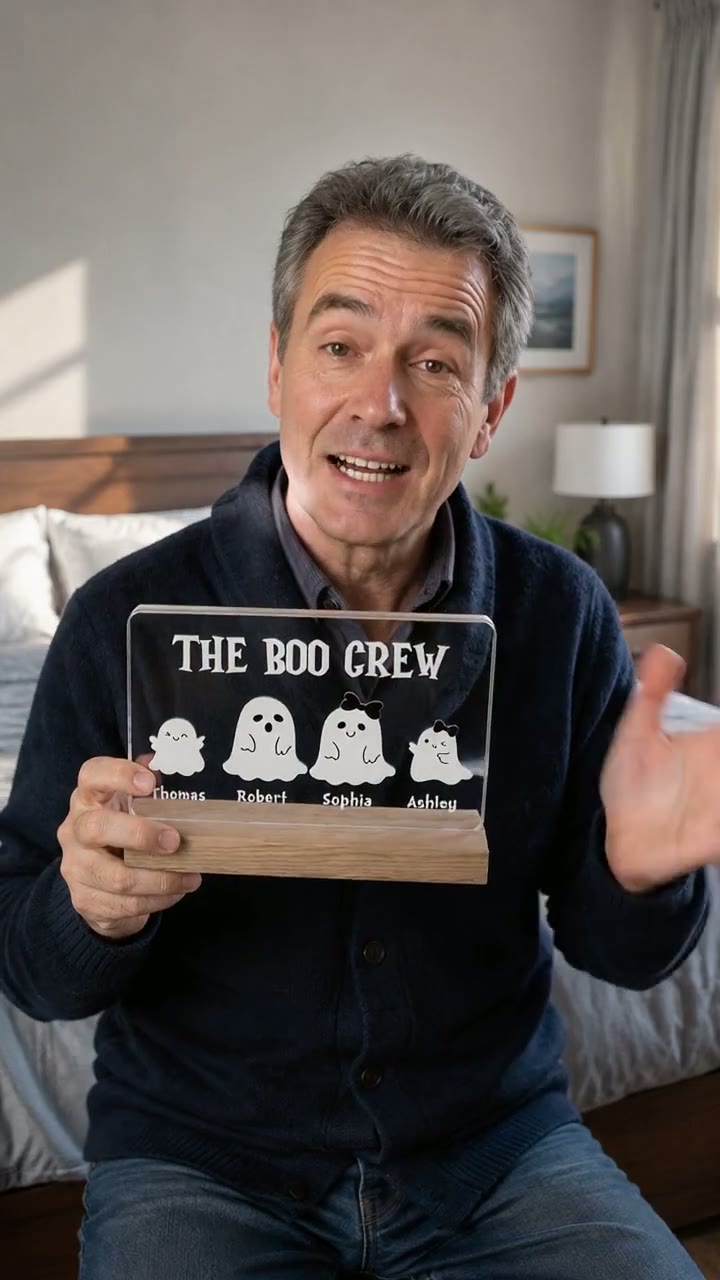
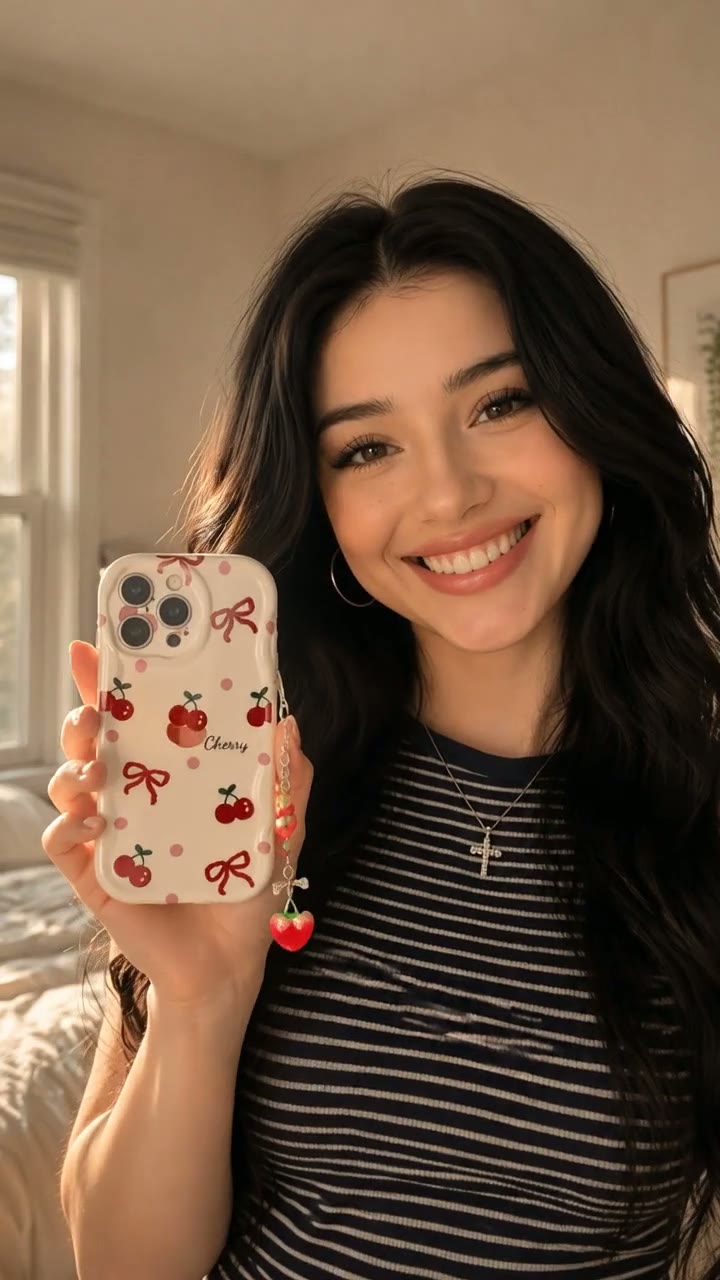
Real UGC videos, generated from nothing but a product photo and an avatar. No shoot, no editor, no brief written for any of them.





Frequently Asked Questions
Get clear answers about how Product Avatar Video turns a product photo into a finished UGC video.
Product Avatar Video is a Pody.ai feature that turns product photos into short UGC-style sales videos. You upload up to three product images and pick an avatar; the AI identifies the niche and target buyer, writes up to four scripts with hooks and a scene-by-scene storyboard, then generates each scene as an image, converts it into a five-second clip and merges the clips with a voiceover into a finished video of 5 to 40 seconds.
Start Your First Product Avatar Video
One product photo. One avatar. A finished UGC video in minutes — and up to 12 of them in a single run when you need the volume.
Create Your First Video